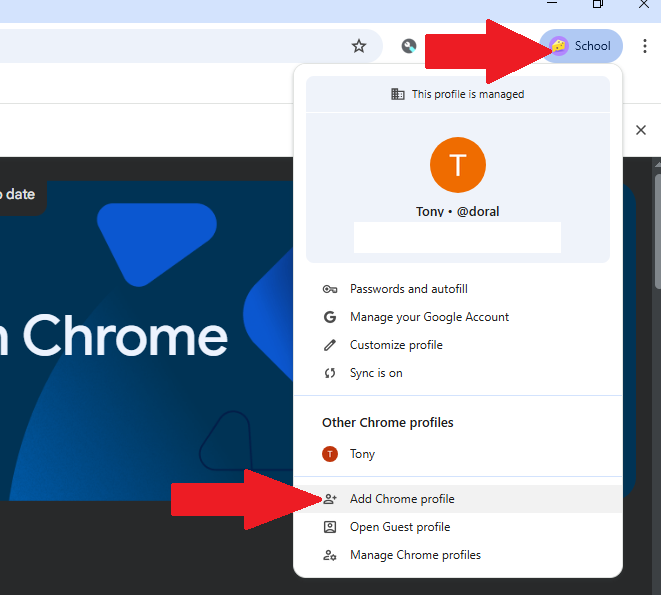
1. Add a new profile on Chrome by clicking your current profile photo in the top right corner, and click “Add Chrome Profile”
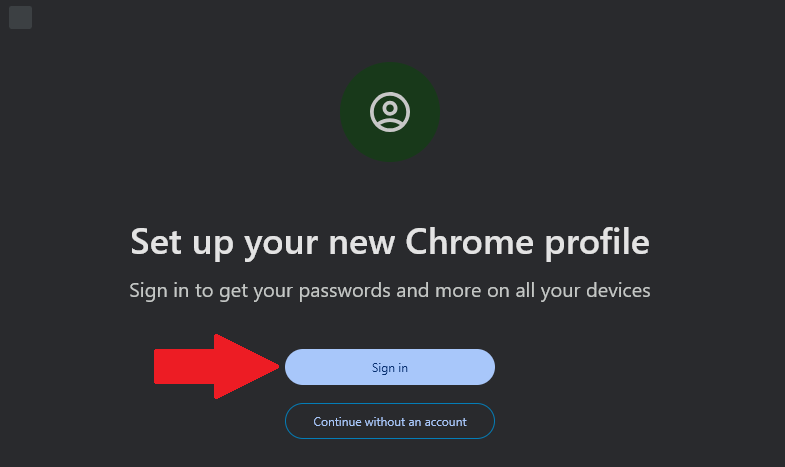
2. Click “Sign in” and enter your school email address
(Example: first.last@student.doralacademynv.org)
3. Once you are signed in, open a new tab (in your school profile) and go to: dorallinks.com
4. Once on dorallinks.com, click the Clever Student Login link
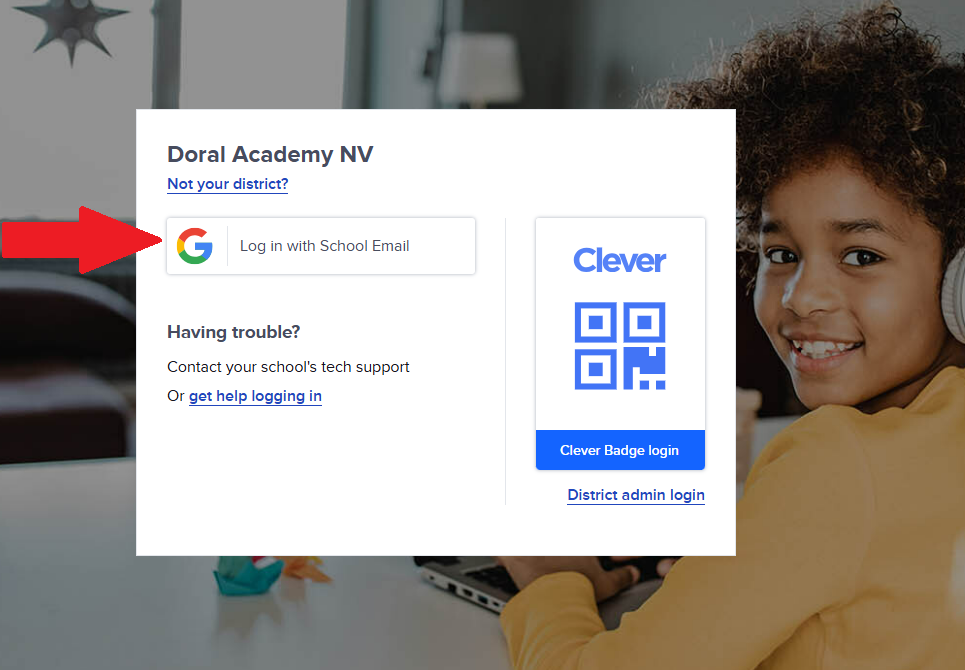
5. Click “Login with School Email” and it will log you in to Clever!